Introducing Menta. Your AI assistant can now buy anything, from any store, anywhere in the world.
In this article: Why we built Menta
You’ve probably done this.
You ask ChatGPT, Grok Bot, or Claude to find a good pair of running shoes, and it does a great job. It compares options, reads the reviews, and hands you three links.
Then you ask it to actually buy them, and things fall apart. Built-in checkouts only work at the stores that support them. Card tools for agents often only work in a few countries, and the checkout gets handed off to a browser agent that stalls on logins and pop-ups.
So yes, buying with AI is possible today. It just doesn’t pass the human bar.
If it’s slower or flakier than doing it yourself, you’ll just do it yourself.
That’s why today, we’re launching Menta.
Why we built Menta
Menta is an open-source agentic commerce plugin that lets the assistant you already use actually buy things for you. Grab it from the ChatGPT, Devin, or Grok Bot plugin marketplace, or add it to Claude, Muse, and others with one prompt. Add your card, set your limits, and ask for what you need.
You may be wondering, why did we build a new agentic payment solution when there are already so many available?
Because when we tried them, each one only got us part of the way. Card tools gave our agent a way to pay, then left the checkout to us. Checkout protocols worked great, but only at the handful of stores that support them. The fallback option, browser automation, is flaky, slow, and costs a ton of tokens.
Ultimately, getting an agent to actually buy something meant taping together a card vault, a couple of card network programs, and a browser tool. And each of the components needed to work well for an agent purchase to actually go through. Good luck with that.
To address these issues, we first built the Agent Commerce Toolkit (ACT) and launched it in October: one set of APIs for the whole purchase, from saving a card to finishing checkout. This gave agent developers a robust and complete solution for enabling payments for their agents.
ACT is for developers, though. Most people just want to ask the assistant they already use to buy something and have it actually happen.
That’s what Menta is for. We built it on top of ACT so anyone can give their assistant the ability to buy.
Here’s what your assistant can do with Menta:
- Buy from any store. Just ask, and your assistant places the order using whatever’s fastest at that store: its own API, an agent protocol, or a browser built for checkout.
- Buy for you wherever you live. Menta accepts cards issued around the world, not just in the US, Canada, or a few select countries.
- Pay with your own card or other payment methods. No one-time virtual cards, so your rewards, statements, and refunds work like they always do. Your assistant can also use a card saved in your store account, Shop Pay, or local options like Pix and Bizum.
- Stay within your budget. Your assistant buys within the limits you set, for as long as weeks at a time, or checks with you before every purchase if you’d rather.
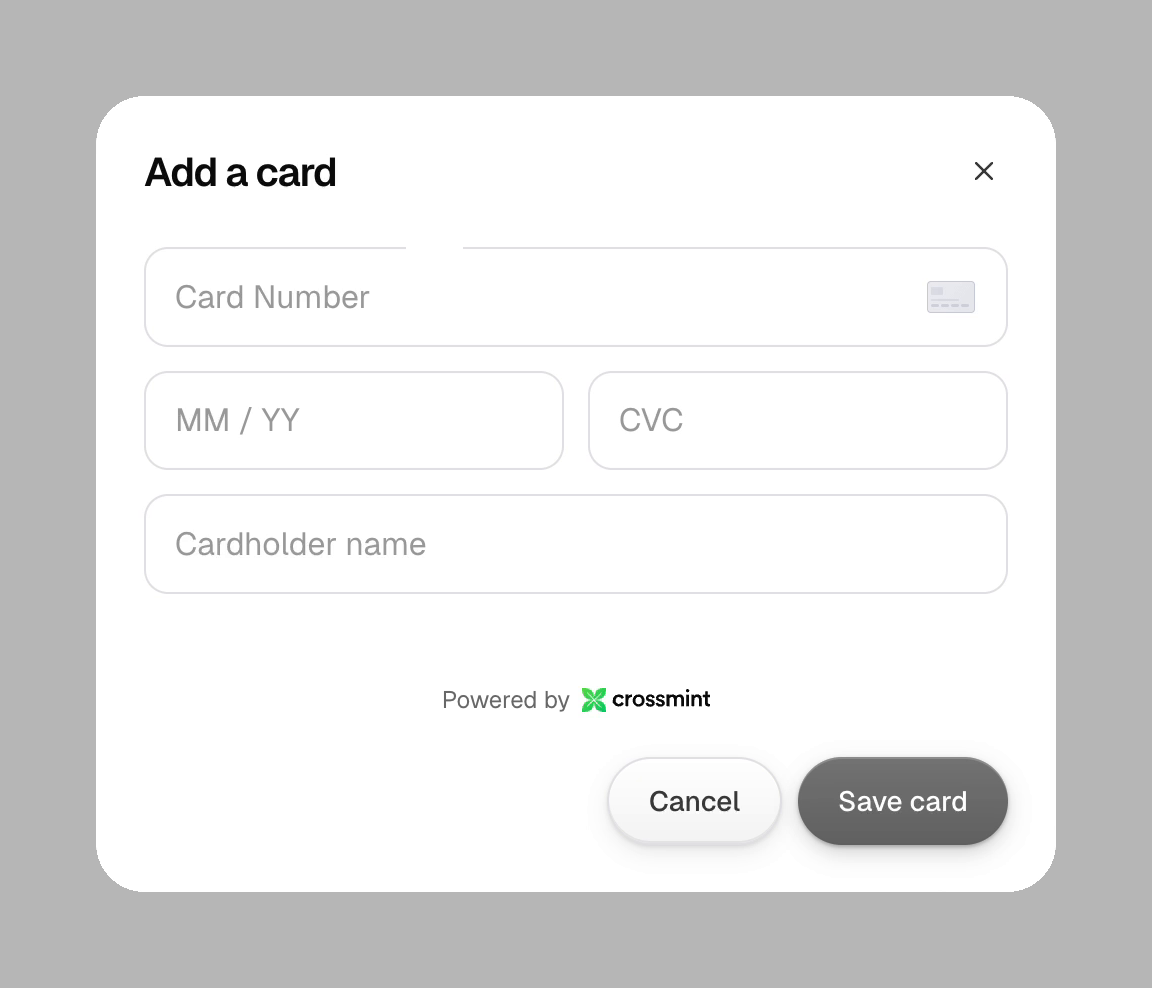
- Pay without ever seeing your card number. Your card stays in a PCI-compliant vault.
How Menta compares
We put Menta to the test at 3,000 stores. It completed 91% of purchases, and did it 5–10x faster than general-purpose agents using browser checkouts.
Here’s what that looks like: the same purchase in ChatGPT, with and without Menta.
How to start using Menta
All you need is an AI assistant and a card. We’ll walk through Grok Bot here (ChatGPT and Devin work the same way).
1. Install Menta. Find Menta in the Grok Bot plugin marketplace and add it.
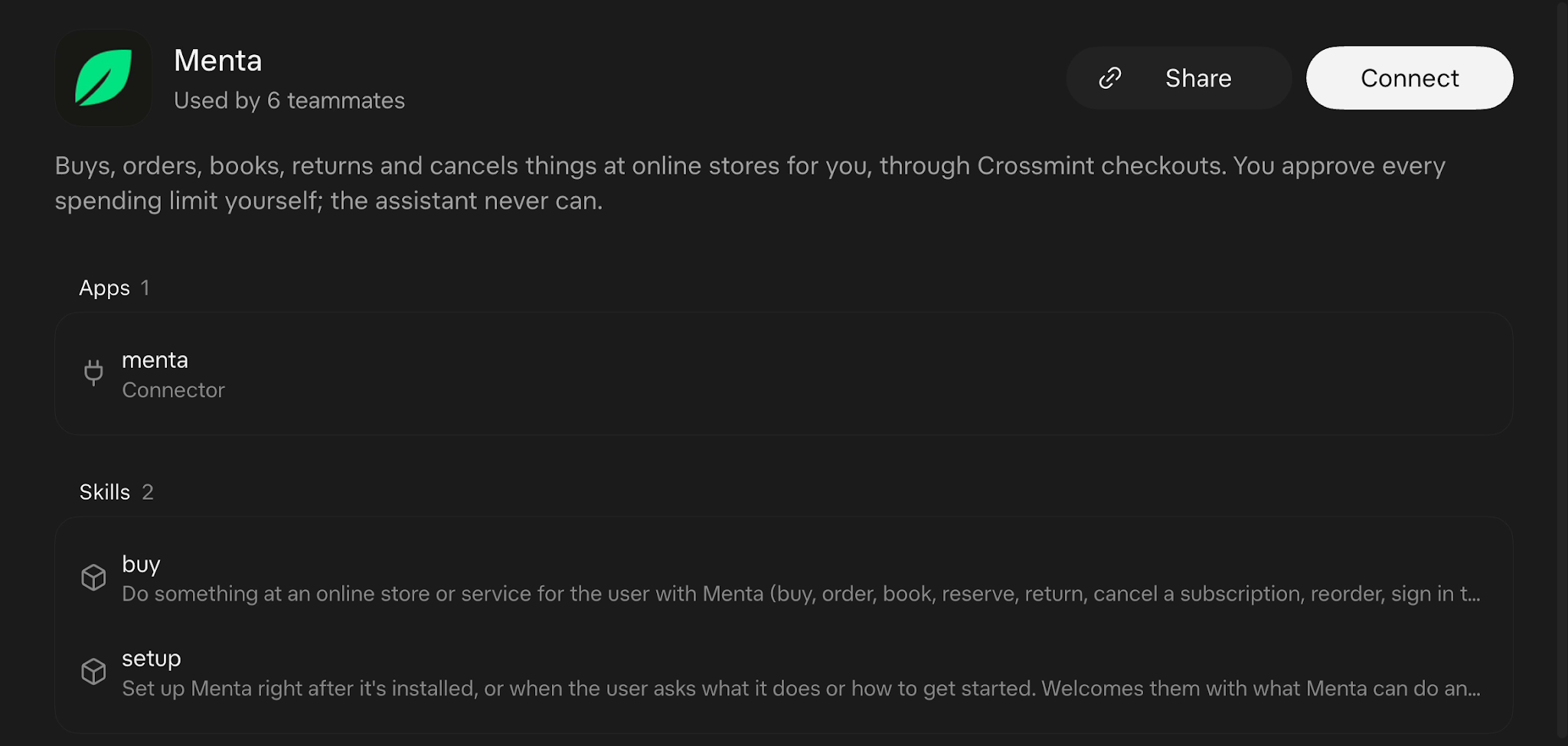
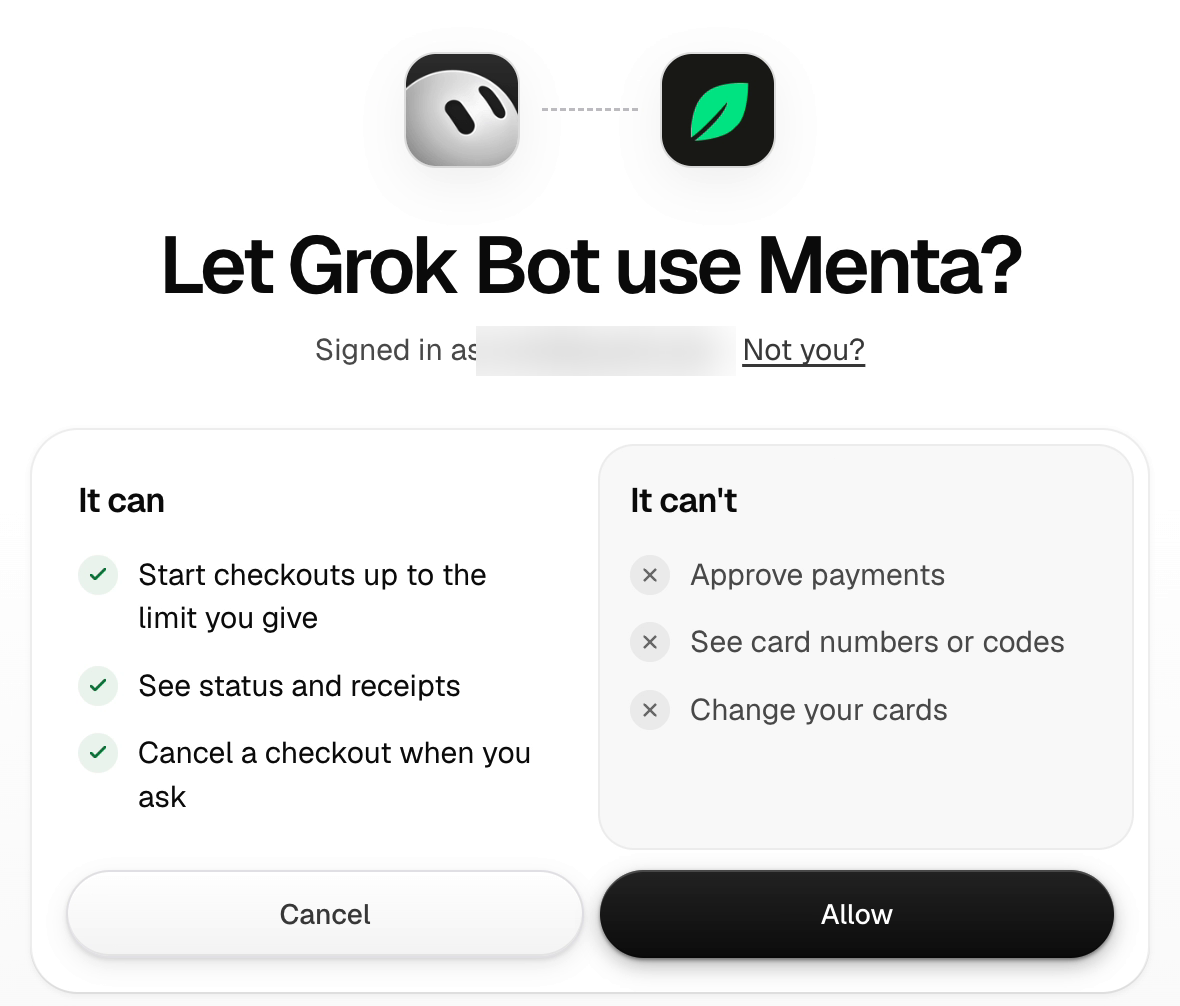
2. Connect your account. Follow the prompts to sign in to Menta, and you’re connected.
3. Add your card. Menta opens a secure page for this. You only have to do it once.
4. Approve a spending limit. Pick a budget and how long it lasts. Your assistant can then buy within it without bugging you each time. Or if you’d rather sign off on every purchase, you can do that too.
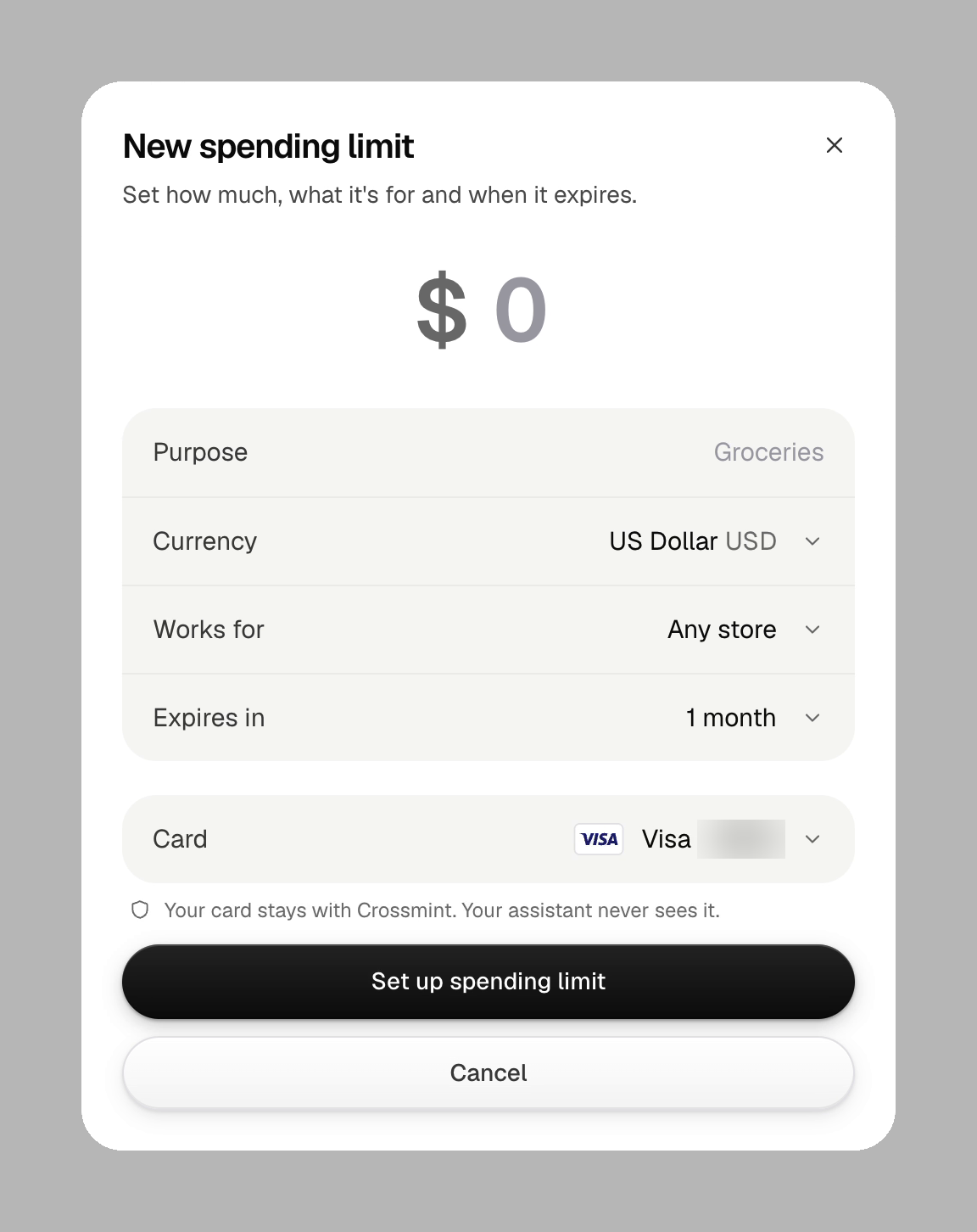
5. Ask for something. Paste in a couple of product links and try “Order these two items from Zara in a medium and ship them to my home address.” Then let your assistant take it from there. If the store wants you to sign in, you’ll type your password on a secure page (never in the chat), and Menta stays signed in for next time.
Using Claude, Muse, or another assistant? Copy the setup prompt at menta.crossmint.com, paste it into your assistant, then skip to step 3.
Tip: give your assistant everything up front (sizes, address, delivery time, which card) and it can go from request to receipt without asking you a single question.
How we use Menta at Crossmint
The best way to know if something works is to use it every day.
So in October, one of our engineers built Buybot: a Grok Bot shopping assistant for everyone at Crossmint, running on Menta.
You tell it what you want, and it finds the item, checks out, and pays with your own card.
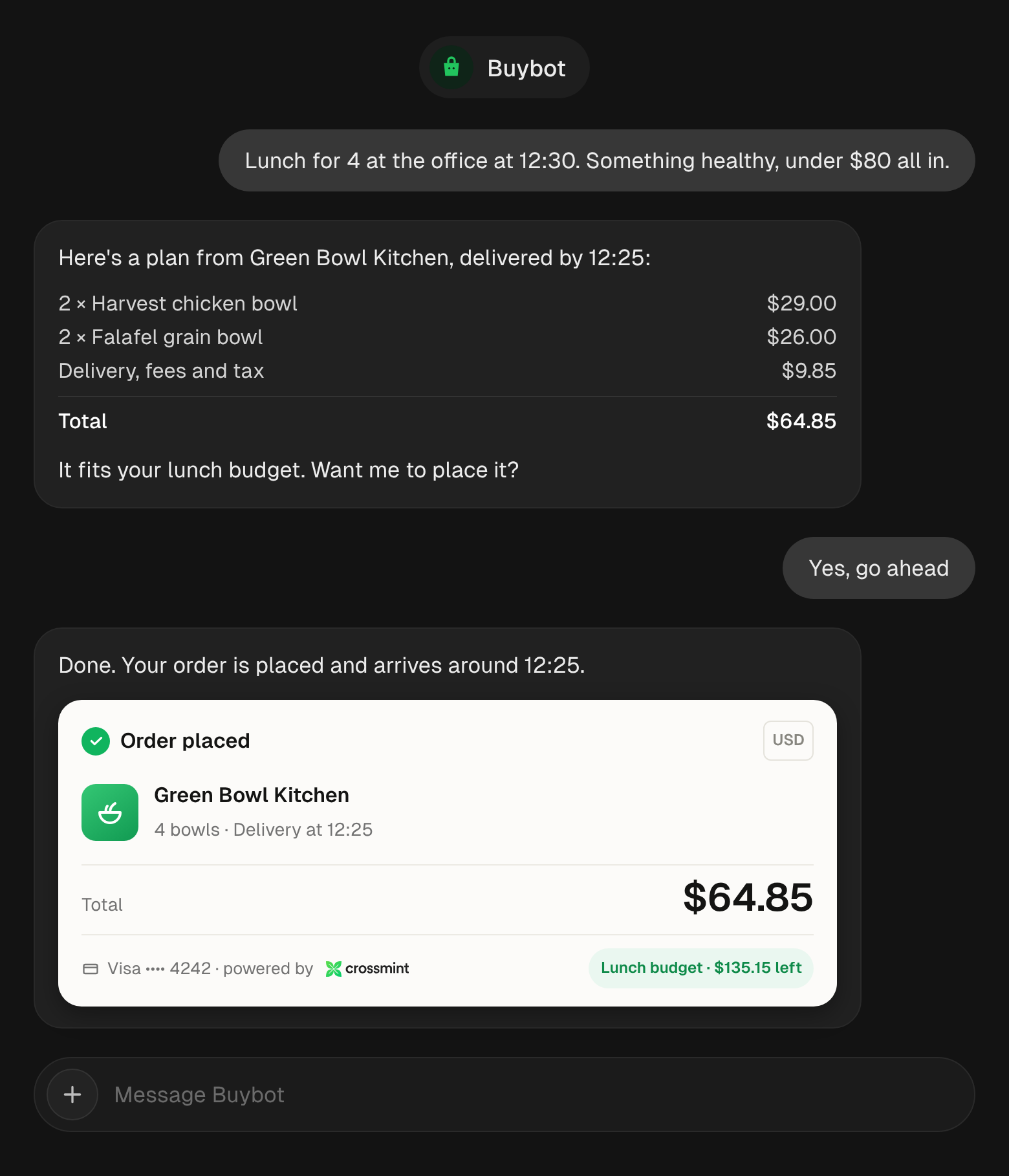
It caught on fast. The engineer who built it ordered lunch to the office with it every day for a week straight. One of our PMs sends it voice notes through the week to add groceries to his cart, then tells it to buy when he’s ready. He’s also used it to book restaurant tables, reorder “the pizza I had last week,” and pick out birthday gifts for friends’ kids.
As people got comfortable, the purchases got bigger. One teammate booked tours and transportation for a vacation with it, and one of our co-founders bought a 3D printer.
Now we’re looking at running our office food and equipment orders through it too, starting with a pilot in our Miami office.
Things to try
- Big shopping carts. Send your whole grocery list for the week, 30+ items, and your assistant fills the cart and checks out in one go.
- Researching and buying. “I want to build a raised garden bed. What do I need?” Your assistant works out every piece and buys them all at once.
- Group orders. “Food for 12 at my place, Saturday at 8.” Tell it how many are coming, and it orders enough for everyone.
- Paying your bills. Send your assistant a screenshot of the bill with “Pay this,” and it takes care of it.
- A price watch. “Buy these headphones if they drop under $100 this month.” Since budgets can last for weeks, your assistant can just sit tight and wait for the deal.
- Planning your weekend. “Saturday: lunch for 2, something fun after, and I need sunscreen.” A table, tickets, and sunscreen in one message.
And much more: manage subscriptions, book flights and hotels, send flowers, restock essentials, buy concert tickets, order a birthday cake, rent a car, and whatever else is on your list.
Build with Menta
Building your own agent? Menta is open source, so you can fork it on GitHub and ship it as your own app, messaging bot, or MCP server. The card capture component drops right into your page, so users add their card inside your product and the card number never touches your servers.
If you want full control instead, you can build your own flow on the Agent Commerce Toolkit. It’s the same set of APIs Menta runs on. You get the card vault, spending limits, and checkout routed to the fastest path at each store, all in one integration. Purchases run on your users’ own cards, and you’re not tied to any single payment provider.
Try it, break it, tell us
Menta is live now at menta.crossmint.com. Give it a spin, buy something, and show us what your assistant bought.
Tag us at @crossmint or @crossmint_ai and we’ll leave a comment!
Fair warning: while Menta is built to support any merchant, anywhere, it won’t get 100% of stores right yet. Checkouts change all the time, and some ask for steps an agent just can’t do. We want to hear your feedback. When it breaks, just tell your assistant and it’ll reach us, or shoot an email to [email protected].
If you’re a developer looking to add agentic payments to your platform, talk to our team. We can help.